
Intimacy: a private record of your intimate life
Intimacy is an optional, private report on your intimate life with your partner or partners: how often, how it felt, and how that changes over time.
When to use it
Only if you want to. You'll find it in the Life group of the menu, under the name of your intimacy activity ("Intimacy" until you have one). It stays empty until you set it up, and you can hide it from the menu in Settings → Pages.
How to use it
- In Settings → Activities, give one activity the Intimacy role. The report reads entries logged under that activity.
- When you log an entry under it, the Log form shows a few extra optional fields: who initiated it, connection, pleasure and similar ratings. Who it was with goes in the usual With field.
- Open the report and choose a time range at the top, or set a custom range under Filters.
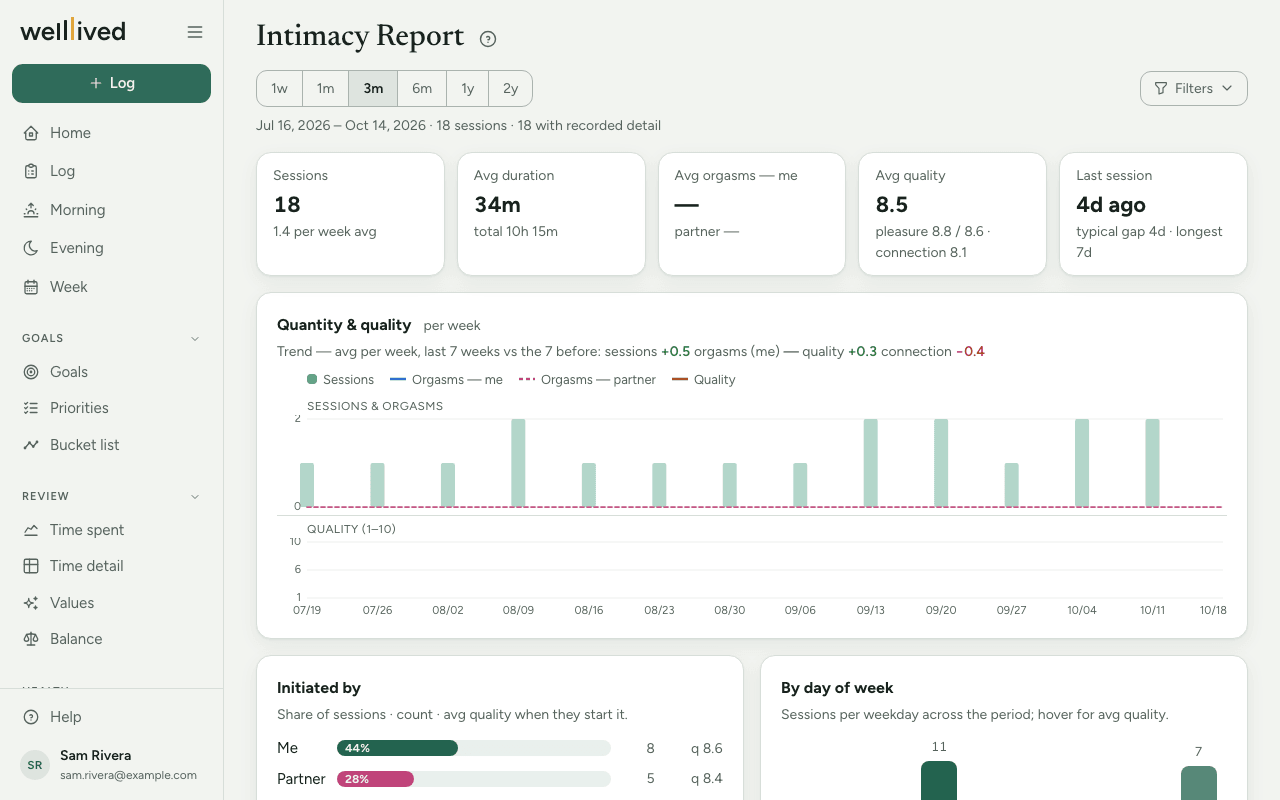
The report shows how many sessions there were, how long they lasted, your average ratings, a trend over time, who tends to initiate, which days of the week they fall on, and your best-rated sessions with their notes.
Tips
- Every field is optional. Log as much or as little as you're comfortable with.
- Short notes on the best sessions are what make the Best sessions list worth reading later.
Questions
Who can see this? Only you. Like everything in your account, it's private to you.
Does it show up elsewhere in the app? That's up to you. By default these entries are treated like any other: named on Home, Time spent and Body, and read with their notes by the AI drafts. Turn on Keep intimacy private in Settings → Profile → Privacy and they show only as their time or project there, their notes and who you were with stay out of every AI draft, and the activity is left out of rankings and charts. See Who can see my data.
I don't see it in my menu. Open the Life group, which starts folded. If it isn't there either, it has been hidden: turn it back on in Settings → Pages.
Related: Log, Projects, activities and life areas, Your data