
Movies: the films and series you watch
Movies keeps track of the films and series you watch: what you're in the middle of, where you are in a show, who you watched with, and what you thought of it.
When to use it
Add a title when you start watching it, or when someone recommends something you don't want to forget. Most of the day-to-day updating can happen from the Log, so you may only visit this page to look back or to pick what to watch next.
How to use it
Add a movie or show
- Open Movies from the Life group in the menu.
- Press + Add.
- Type the Title, then press Auto-fill from title. For a series it looks up the poster, genres, episode length and the number of episodes in each season; for a film, the poster, the year and a short synopsis. It only fills fields you've left empty.
- Add the Started date, who you Watched with, and anything else you like: Rating, Tags, Streams on, Why watch?
- Save.
Keep your place in a series
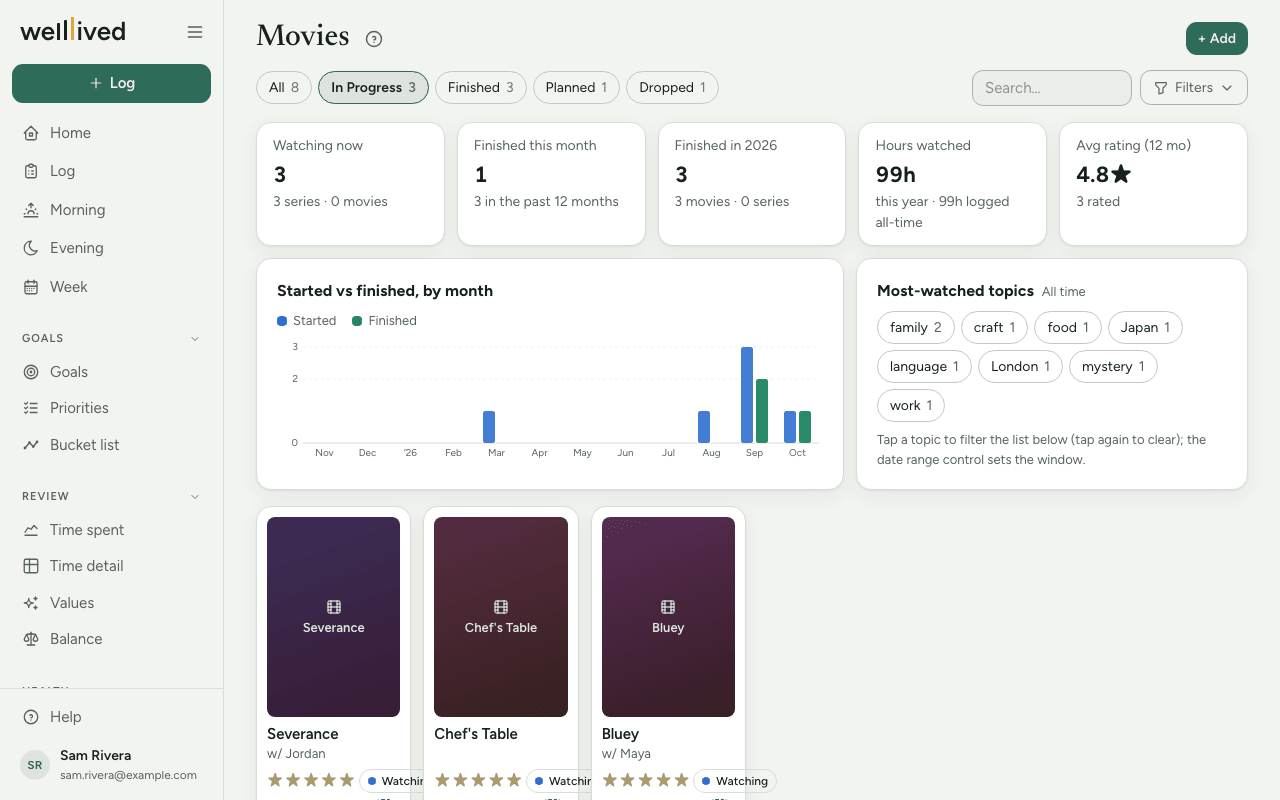
For a series, Progress (e.g. S2E5) holds where you are, and Episodes per season holds the season lengths (Auto-fill usually fills this). With both set, the card shows a progress bar and a +1 button that moves you on to the next episode. On the last episode it reads Finish? and marks the series finished.
You can also update a show from the Log. Mention it in an entry's notes ("watched two episodes of …") and a chip offers the next episode; tap it and the show moves on when you save the entry. If the title isn't in your list yet, the chip offers to add it, poster and details included. With AI logging on, whatever the note says about the show ("It was just ok", a thought it gave you) is added to its Gained notes as a dated line, so you can look back on what you thought of it.
Status follows the dates
A title with a Started date is In Progress (the card says Watching), one with a Finished date is Finished, one with a Dropped on date is Dropped, and one with neither is Planned, which makes it your watchlist. The chips along the top filter by status.
Look back
The tiles show what you're watching now, what you finished this month and this year, your average rating, and Hours watched. A chart compares titles started and finished each month, and Most-watched topics lists your most common tags. Tap a topic to filter the list.
Under Filters you'll find Minimum rating, Watched (a date range), Format (movies or series), Genre, Tag, Sort and the Cards / Table switch. Click a card to see the details; Edit is inside.
Tips
- Hours watched comes from your time log, not from runtimes. It adds up entries under the activity that has the Entertainment role in Settings → Activities. With no such activity, the tile stays empty.
- Use Tags for topics ("time travel", "Japan", "christmas") and Genre for the kind of film. Tags you've used before are offered as you type, which keeps the spelling consistent.
- Leave Watched with empty when you watched alone. If you've set up a household in Settings → People, one tap adds them all.
- To change a poster, click it in the editor and pick an image, or drag one in from another browser tab.
Questions
Why doesn't my series show a progress bar? It needs both Progress (like S1E4) and Episodes per season. Try Auto-fill from title to fill in the season lengths, or type them yourself, separated by commas (for example 10,10,8).
How do I add something to my watchlist? Add it with no dates. It shows under Planned.
Is "Watched with" linked to People? Yes. You pick people from your People list rather than typing names, so the same person is always spelled the same way.
How do I delete a title? Open it, press Edit, then Delete and Really delete?.
Related: Books, Log, People, Projects, activities and life areas