
Bucket list: the things you want to do some day
The Bucket list is for the things you want to do, see or learn some day: trips, skills, adventures, the big ones and the small ones. No deadlines, just a place to keep them and notice which ones you're actually getting to.
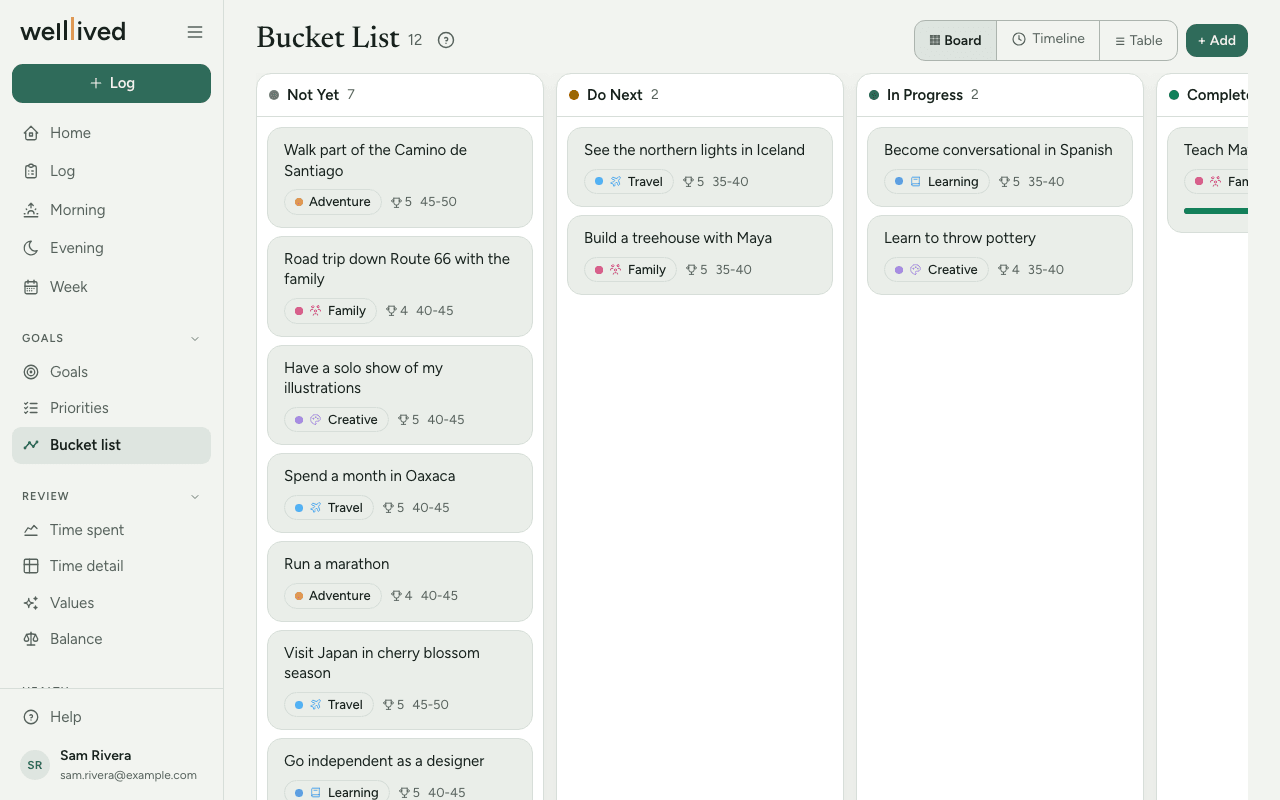
When to use it
Whenever an idea comes up, and every few months to choose what's next. It pairs well with a yearly look at Goals: a bucket-list item you move to Do Next is often a good candidate for this year.
How to use it
Set up your categories first
Each goal sits in a category, like Travel, Adventure or Learning. You make these in Settings → Bucket categories:
- Press + Add and give the category a Name, a Colour and an Icon.
- Tap a row later to rename it or change its look.
- Deleting a category that has goals asks where those goals should move.
Add a goal
- Open Bucket list from the menu (under Goals) and press + Add.
- Write the Goal and pick a Category from your list.
- Choose a Status: Not Yet, Do Next, In Progress or Complete.
- Fill in whatever else helps, all optional:
- Risk (1–5) and Reward (1–5), to weigh one idea against another;
-
Age range, the period of life you'd like to do it in, such as
40-45; - Full price $ and Monthly $, if it costs something;
- Progress, a slider for things you're partway through;
- Date completed, Why? and Details.
- Press Save.
Three ways to look at the list
Switch views with the buttons at the top right.
- Board has a column per status. Drag a card to another column to change its status, or up and down to reorder. A line shows where it will land. Click a card to edit it.
- Timeline puts your categories across the top and age ranges down the side, so you can see what you hope to do in each stretch of life. Drag a goal to another cell to change its category or age range. Drag a column header to reorder your categories. Goals with no age range sit in an Unplanned row.
- Table is a sortable list of every goal with its fields. It has its own + Add.
Tips
- Write the goal the way you'd say it out loud: "See the northern lights", "Learn to sail a small boat".
- Why? is worth filling in. When you're choosing between two ideas a year from now, the reason is what helps.
- For the Timeline, use five-year ranges that start on a multiple of five (
30-35,35-40,40-45). Those always land in the row you'd expect. - Keep Do Next short. Two or three items you're actually planning beats a column of maybes.
- Moving a card to Complete shows it as 100% done. Add a Date completed so you can look back on when it happened.
Questions
The Category list in the editor is empty. Categories come from Settings → Bucket categories. Add a few there and they'll appear in the editor.
Why isn't one of my goals on the Timeline? The Timeline's columns are categories, so a goal with no category has nowhere to sit. Give it one in the editor and it will show up.
Can I change the order of the columns on the Timeline? Yes. Drag a column header left or right. The order is saved for next time.
Is this the same as Goals? No. Goals are for this year and this quarter. The bucket list is a longer, looser list with no deadline. Many people pull one item a year from here into Goals.
Related: Goals, Priorities, Projects, activities and life areas